

-
Products
Overview Products

-
2D Cutting
-
Tube Cutting
-
3D Cutting
-
Intelligent Welding
-
Intelligent Cutting Head
-
Industrial Automation
-
Industrial Software
-
Combination
-
Combination
BOCHU New Product -
Combination
BOCHU New Product -
Controller
BOCHU New Product -
2D Cutting Head
Tube Cutting Head
3D Cutting Head
Consumables
BOCHU New Product -
Servo
BOCHU New Product -
Industrial 4.0
-
- Support
- About
- Online Store















- Software Download
- Manual
- Tutorial
- CloudNest
Function Description
Operation Methods and Notes
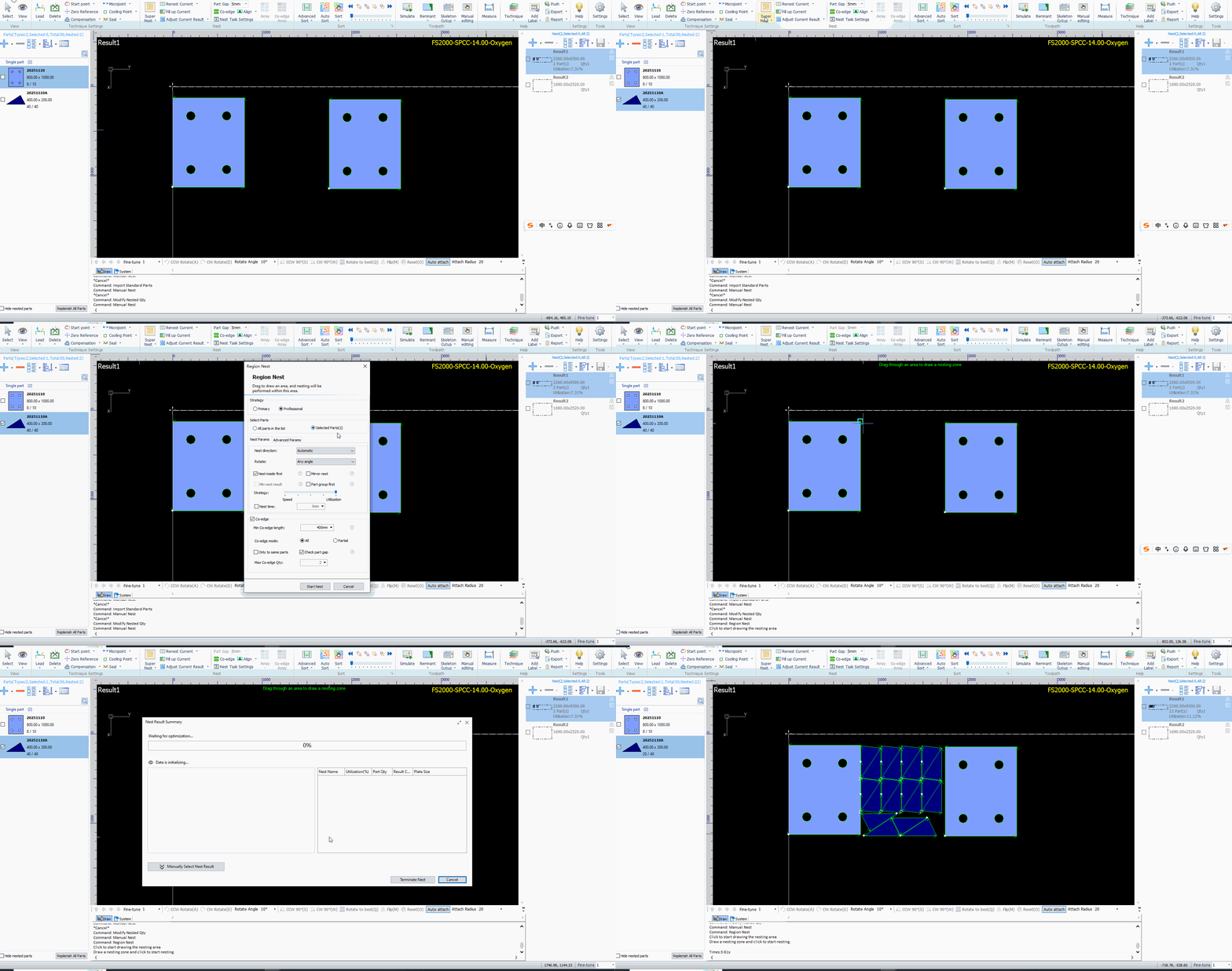
1.Click the drop-down menu of [Nest] and select [Region Nest].

2.Set the region nest parameters and click Start Nest.

3.Drag the mouse to draw a nesting area, then left-click to confirm and start nest.
4.After nesting is completed, exit the Region Nest .
Note: If there are multiple parts with holes in the selected area, the system will automatically select the largest one, and its range will be used as the nestable area.
Function Description
Operation Methods and Notes
1.Click the drop-down menu of [Nest] and select [Region Nest].
2.Set the region nest parameters and click Start Nest.
3.Drag the mouse to draw a nesting area, then left-click to confirm and start nest.
4.After nesting is completed, exit the Region Nest .
Note: If there are multiple parts with holes in the selected area, the system will automatically select the largest one, and its range will be used as the nestable area.

