

-
Products
Overview Products

-
2D Cutting
-
Tube Cutting
-
3D Cutting
-
Intelligent Welding
-
Intelligent Cutting Head
-
Industrial Automation
-
Industrial Software
-
Combination
-
Combination
BOCHU New Product -
Combination
BOCHU New Product -
Controller
BOCHU New Product -
2D Cutting Head
Tube Cutting Head
3D Cutting Head
Consumables
BOCHU New Product -
Servo
BOCHU New Product -
Industrial 4.0
-
- Support
- About
- Online Store















- Software Download
- Manual
- Tutorial
- CloudNest
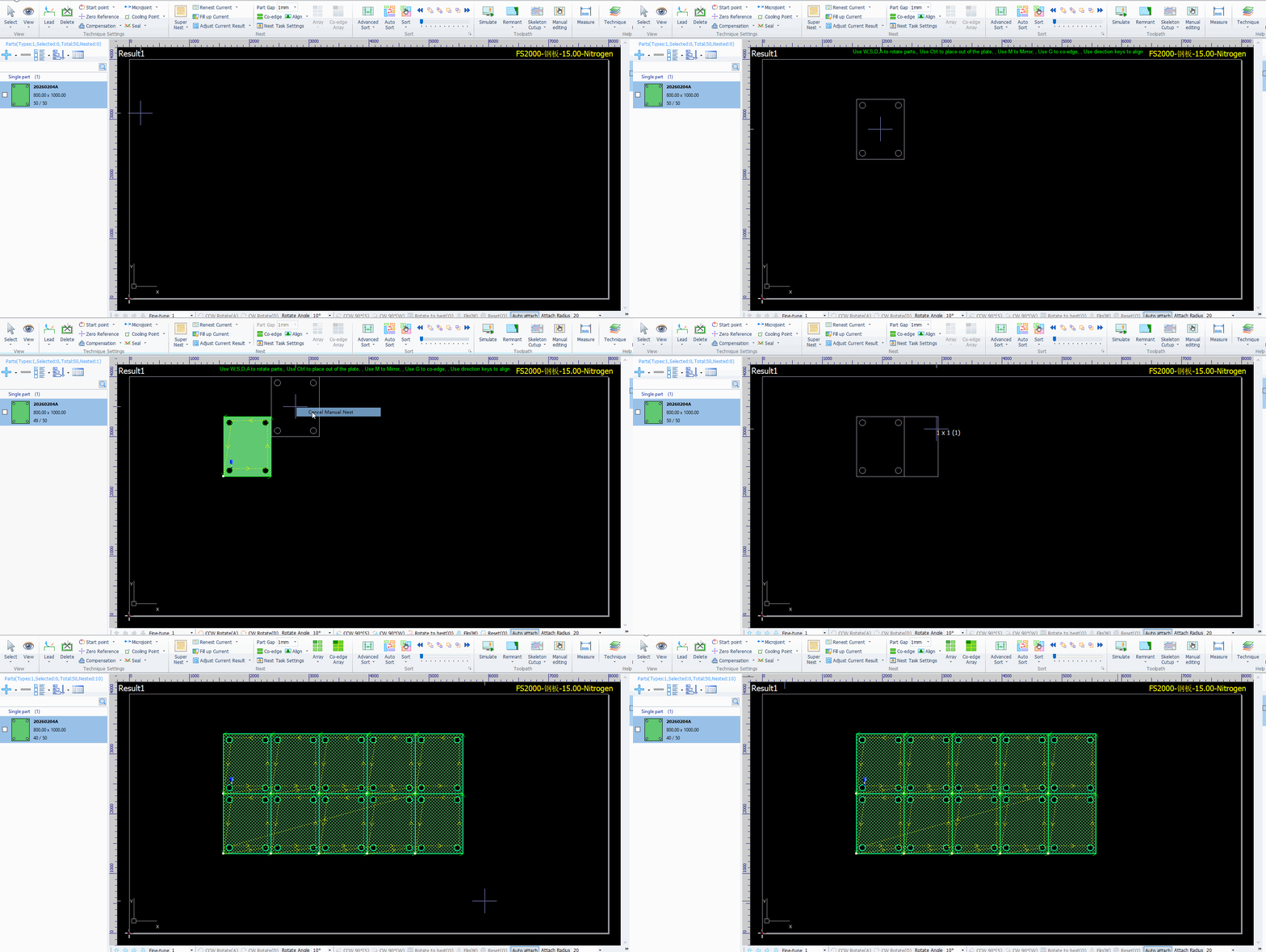
When performing nest on the nesting page, you can create a quick array of parts to fill the entire plate efficiently.
Operation Steps
(1) Left-click and hold the target part in the Part List on the left side, drag it onto the plate, and release the left mouse button to place it.
(2) Right-click on the page and select Cancel Manual Nest.
(3) Press Ctrl + D keys, then drag your mouse toward the empty area of the plate that still has available space.
(4) Move the mouse to the desired position and left-click to complete the array.
When performing nest on the nesting page, you can create a quick array of parts to fill the entire plate efficiently.
Operation Steps
(1) Left-click and hold the target part in the Part List on the left side, drag it onto the plate, and release the left mouse button to place it.
(2) Right-click on the page and select Cancel Manual Nest.
(3) Press Ctrl + D keys, then drag your mouse toward the empty area of the plate that still has available space.
(4) Move the mouse to the desired position and left-click to complete the array.

