

-
Products
Overview Products

-
2D Cutting
-
Tube Cutting
-
3D Cutting
-
Intelligent Welding
-
Intelligent Cutting Head
-
Industrial Automation
-
Industrial Software
-
Combination
-
Combination
BOCHU New Product -
Combination
BOCHU New Product -
Controller
BOCHU New Product -
2D Cutting Head
Tube Cutting Head
3D Cutting Head
Consumables
BOCHU New Product -
Servo
BOCHU New Product -
Industrial 4.0
-
- Support
- About
- Online Store















- Software Download
- Manual
- Tutorial
- CloudNest
There are two methods to view the cutting path after nest.
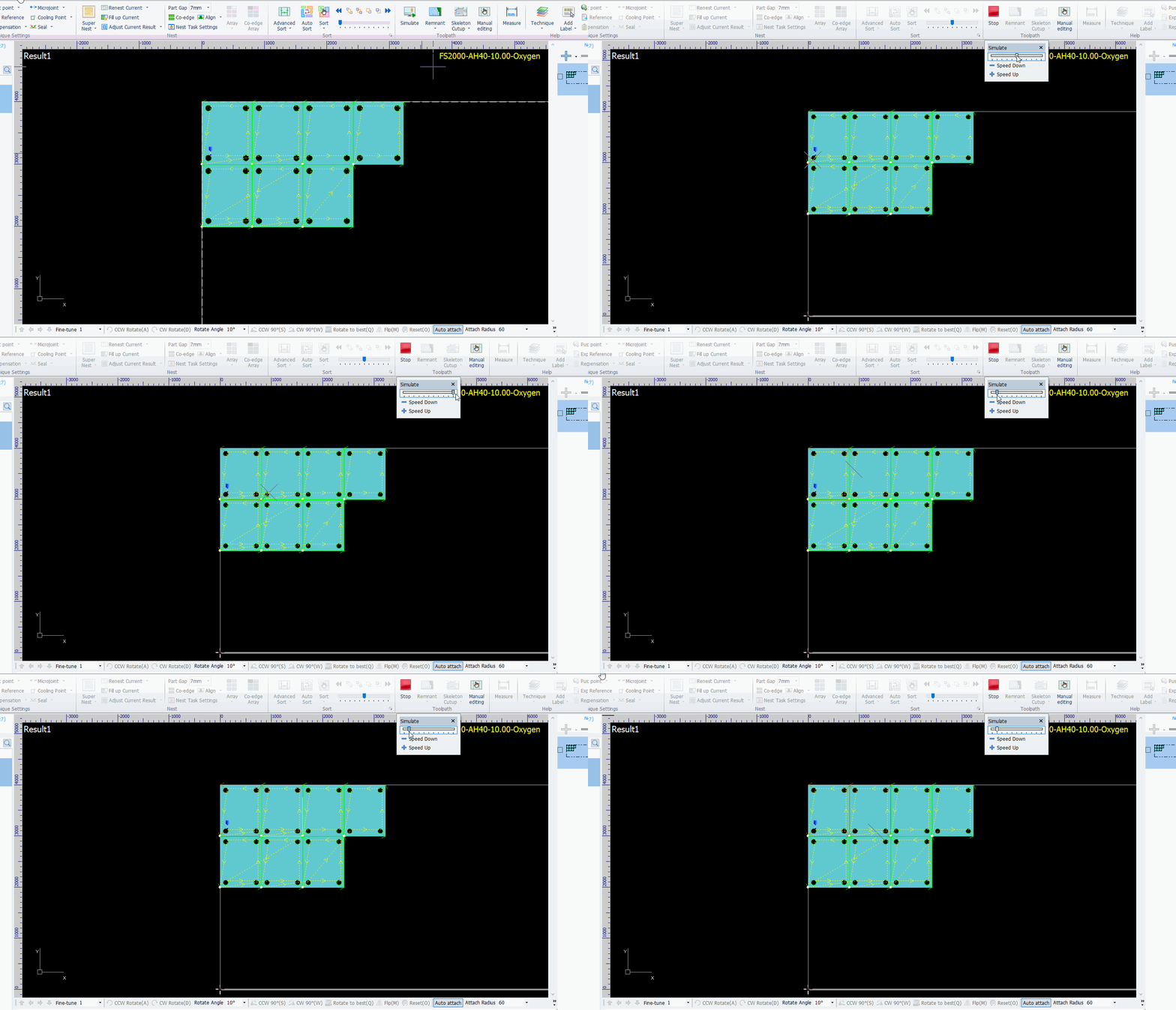
(1) Automatic Simulation
Operation Steps:
-
Click the Simulate button.
-
Adjust the simulation speed using the slider in the lower window.
(2) Manual Simulation
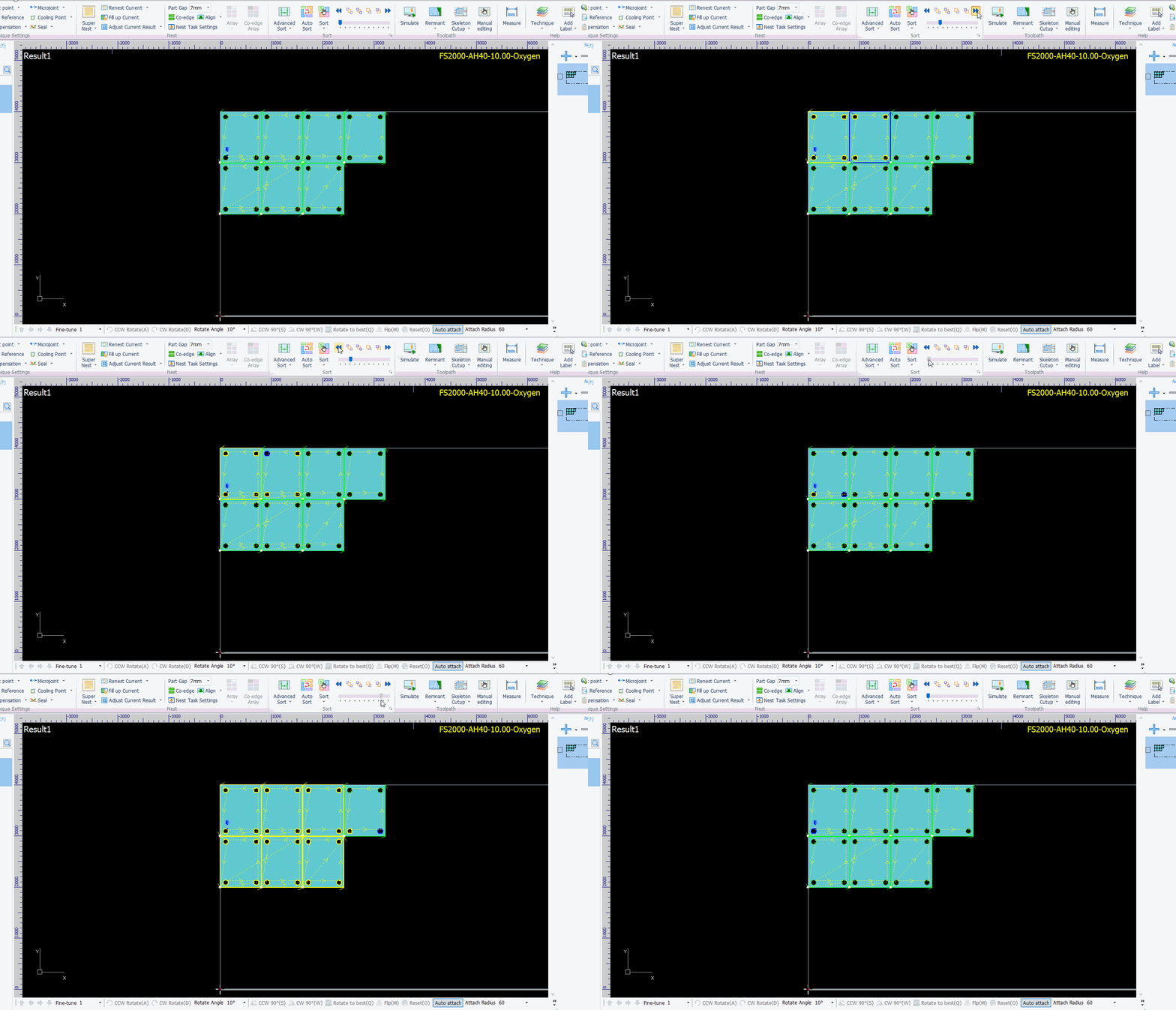
Operation Steps:
-
Drag the progress bar to view the cutting sequence.
-
Observe the nesting area:The blue outline indicates the current cutting profile, and the yellow outline indicates completed cutting profiles.
-
Observe the yellow outlines during dragging to track the cutting order.
-
You can also click the left and right arrows to step through and view individual cutting profiles one by one.
There are two methods to view the cutting path after nest.
(1) Automatic Simulation
Operation Steps:
-
Click the Simulate button.
-
Adjust the simulation speed using the slider in the lower window.
(2) Manual Simulation
Operation Steps:
-
Drag the progress bar to view the cutting sequence.
-
Observe the nesting area:The blue outline indicates the current cutting profile, and the yellow outline indicates completed cutting profiles.
-
Observe the yellow outlines during dragging to track the cutting order.
-
You can also click the left and right arrows to step through and view individual cutting profiles one by one.

