

-
Products
Overview Products

-
2D Cutting
-
Tube Cutting
-
3D Cutting
-
Intelligent Welding
-
Intelligent Cutting Head
-
Industrial Automation
-
Industrial Software
-
Combination
-
Combination
BOCHU New Product -
Combination
BOCHU New Product -
Controller
BOCHU New Product -
2D Cutting Head
Tube Cutting Head
3D Cutting Head
Consumables
BOCHU New Product -
Servo
BOCHU New Product -
Industrial 4.0
-
- Support
- About
- Online Store















- Software Download
- Manual
- Tutorial
- CloudNest
How can we split a specific part from a co-edge group?
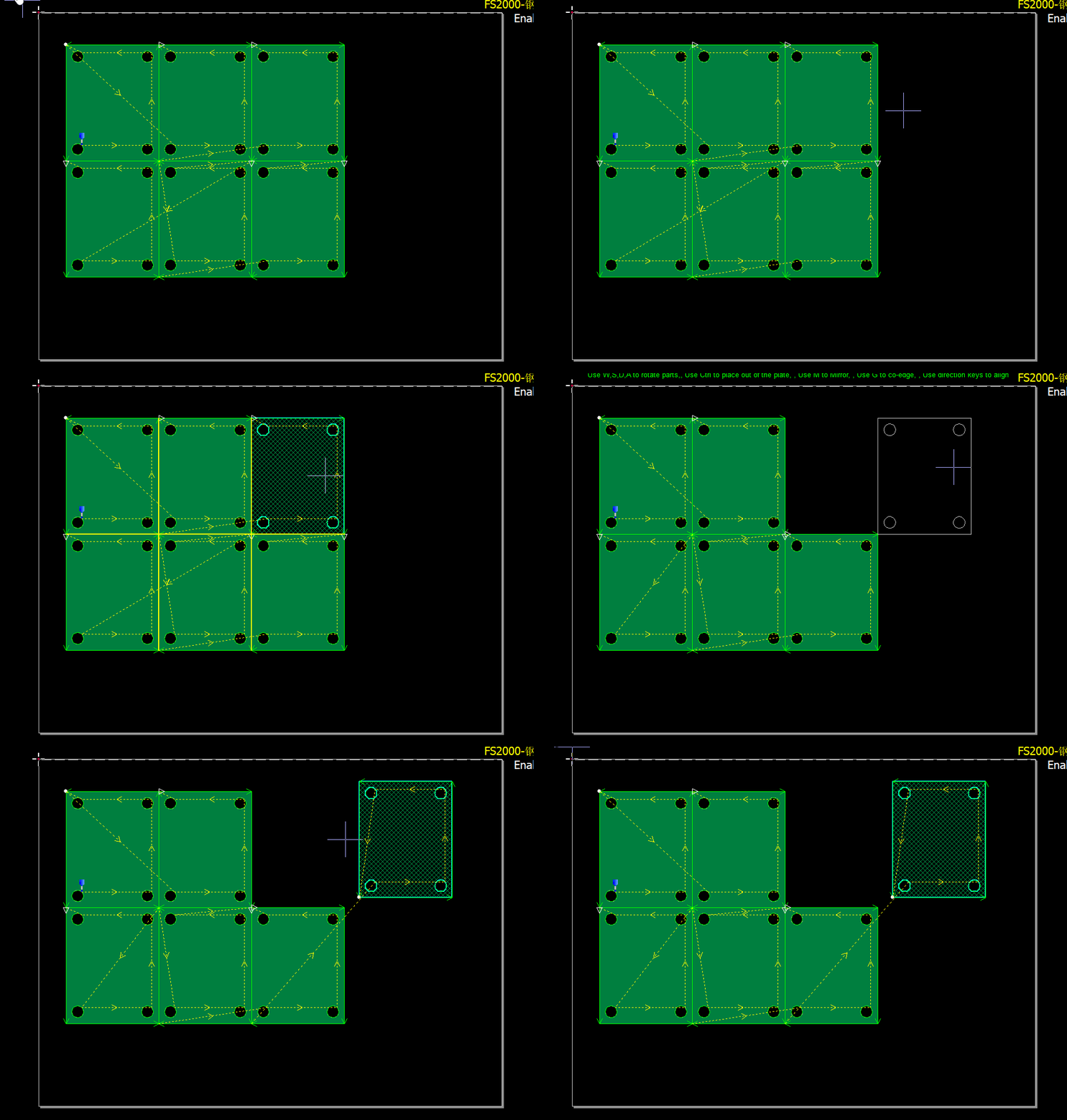
Method 1:
Press and hold the Alt key on your keyboard.
Select the target part by left-clicking on it or drawing a selection box around it.
Release the Alt key.
Drag the selected part to separate it from the group.
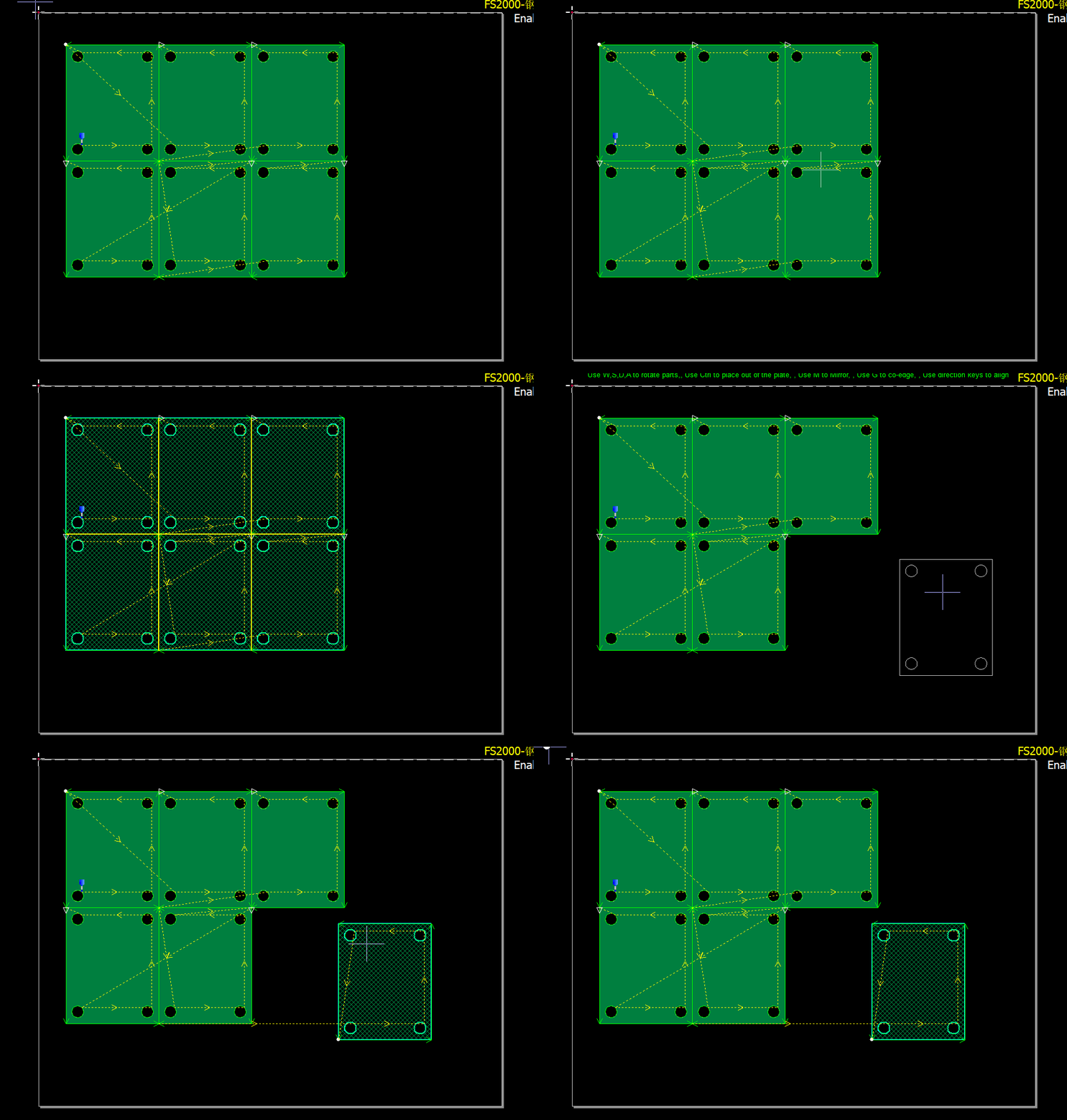
Method 2:
Left-click to select the entire co-edge group.
Left-click again on the specific part you want to split.
Drag the selected part to separate it from the group.
How can we split a specific part from a co-edge group?
Method 1:
Press and hold the Alt key on your keyboard.
Select the target part by left-clicking on it or drawing a selection box around it.
Release the Alt key.
Drag the selected part to separate it from the group.
Method 2:
Left-click to select the entire co-edge group.
Left-click again on the specific part you want to split.
Drag the selected part to separate it from the group.

