

-
Products
Overview Products

-
2D Cutting
-
Tube Cutting
-
3D Cutting
-
Intelligent Welding
-
Intelligent Cutting Head
-
Industrial Automation
-
Industrial Software
-
Combination
-
Combination
BOCHU New Product -
Combination
BOCHU New Product -
Controller
BOCHU New Product -
2D Cutting Head
Tube Cutting Head
3D Cutting Head
Consumables
BOCHU New Product -
Servo
BOCHU New Product -
Industrial 4.0
-
- Support
- About
- Online Store















- Software Download
- Manual
- Tutorial
- CloudNest
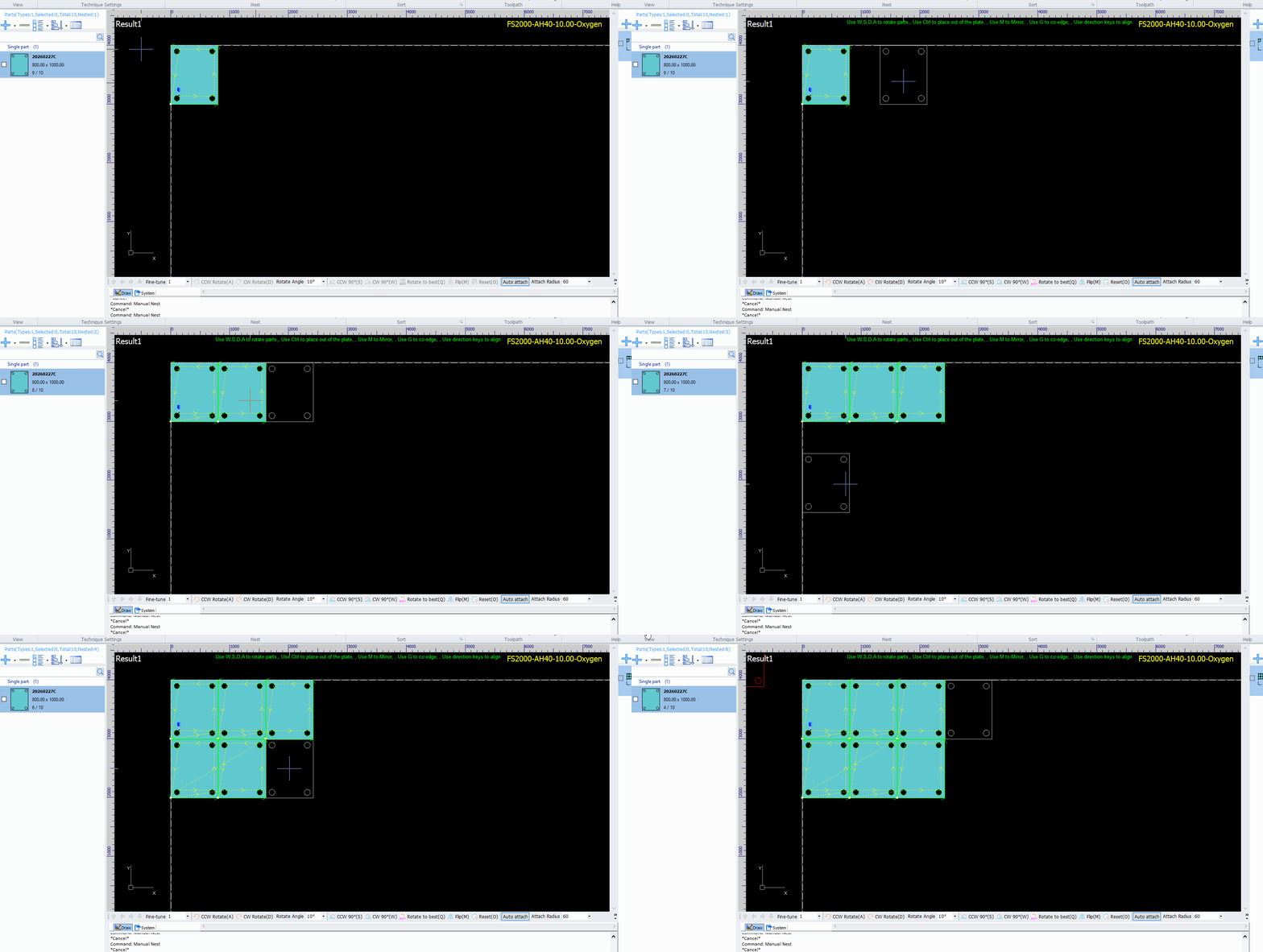
During manual nest, if parts cannot automatically attach to adjacent parts properly, you can improve this by adjusting the attach radius.
Attach radius: Within the set value range, parts will automatically attach to adjacent parts.
Operation Steps:
There are two ways to modify the attach radius.
(1)Enter a value in the Attach Radius field in the bottom-right corner.

(2) When a part is attached to the mouse, right-click and select Manual Nest Params, then enter the value.

Setting attach radius will assist with manual nest.
During manual nest, if parts cannot automatically attach to adjacent parts properly, you can improve this by adjusting the attach radius.
Attach radius: Within the set value range, parts will automatically attach to adjacent parts.
Operation Steps:
There are two ways to modify the attach radius.
(1)Enter a value in the Attach Radius field in the bottom-right corner.
(2) When a part is attached to the mouse, right-click and select Manual Nest Params, then enter the value.
Setting attach radius will assist with manual nest.

