

-
Products
Overview Products

-
2D Cutting
-
Tube Cutting
-
3D Cutting
-
Intelligent Welding
-
Intelligent Cutting Head
-
Industrial Automation
-
Industrial Software
-
Combination
-
Combination
BOCHU New Product -
Combination
BOCHU New Product -
Controller
BOCHU New Product -
2D Cutting Head
Tube Cutting Head
3D Cutting Head
Consumables
BOCHU New Product -
Servo
BOCHU New Product -
Industrial 4.0
-
- Support
- About
- Online Store















- Software Download
- Manual
- Tutorial
- CloudNest
Do you know?
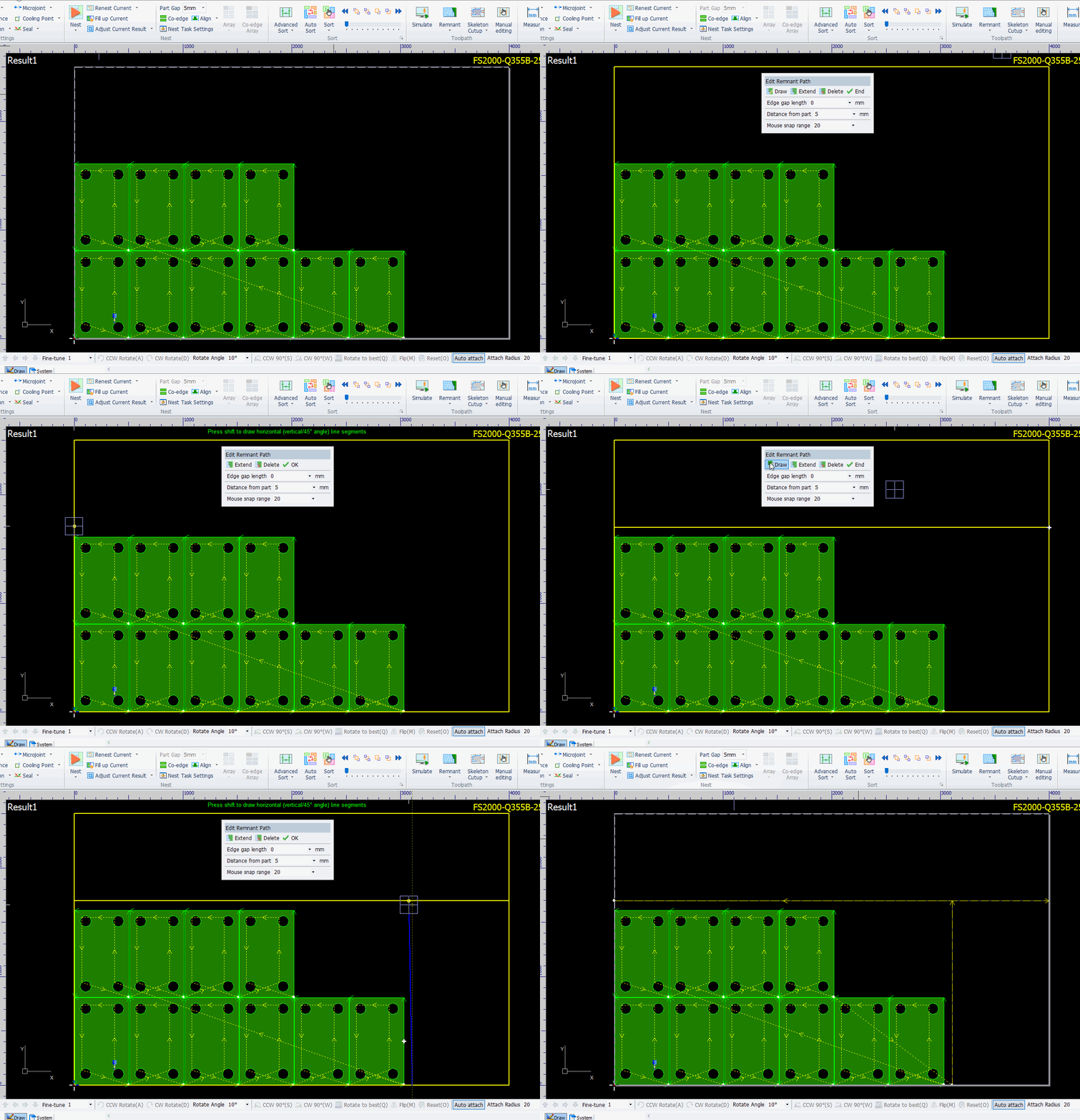
When the auto remnant path does not meet your requirements, you can manually draw or edit the remnant path.
Operation Steps:
1.Click Edit/Draw Remnant Path under the Remnant button.

2.Set the remnant path parameters and click Draw.

3.Left-click on the sheet to select the first point, then move the mouse to continue drawing. Click End when done.

Do you know?
When the auto remnant path does not meet your requirements, you can manually draw or edit the remnant path.
Operation Steps:
1.Click Edit/Draw Remnant Path under the Remnant button.
2.Set the remnant path parameters and click Draw.
3.Left-click on the sheet to select the first point, then move the mouse to continue drawing. Click End when done.

