

-
Products
Overview Products

-
2D Cutting
-
Tube Cutting
-
3D Cutting
-
Intelligent Welding
-
Intelligent Cutting Head
-
Industrial Automation
-
Industrial Software
-
Combination
-
Combination
BOCHU New Product -
Combination
BOCHU New Product -
Controller
BOCHU New Product -
2D Cutting Head
Tube Cutting Head
3D Cutting Head
Consumables
BOCHU New Product -
Servo
BOCHU New Product -
Industrial 4.0
-
- Support
- About
- Online Store















- Software Download
- Manual
- Tutorial
- CloudNest
It is possible to encounter this prompt after performing sorting. So what should we do to address it?

1. Why does this prompt appear?
The "Reverse Travel" prompt will show up if the Safety Check has been enabled and the cutting head's reverse movement distance in the current nesting layout exceeds the preset threshold.
Note: The Safety Check is mandatorily activated for plates with a length exceeding 10 meters.

2. What risks are associated with this issue?
(1) During the cutting process, workers usually follow the machine to collect finished parts. A sudden rapid reverse movement of the cutting head poses a high risk of collision with the workers nearby.
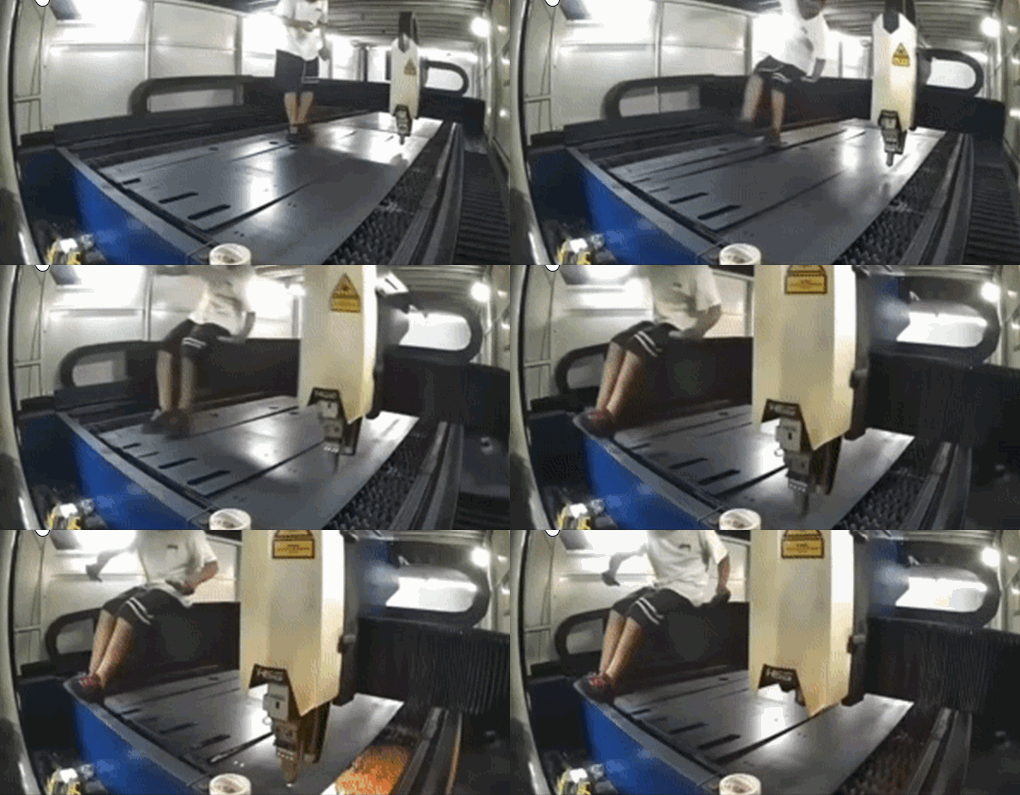
(2) Improper sort may lead to prolonged travel of the cutting head, which will significantly reduce the overall cutting efficiency.
3. How to resolve this issue?
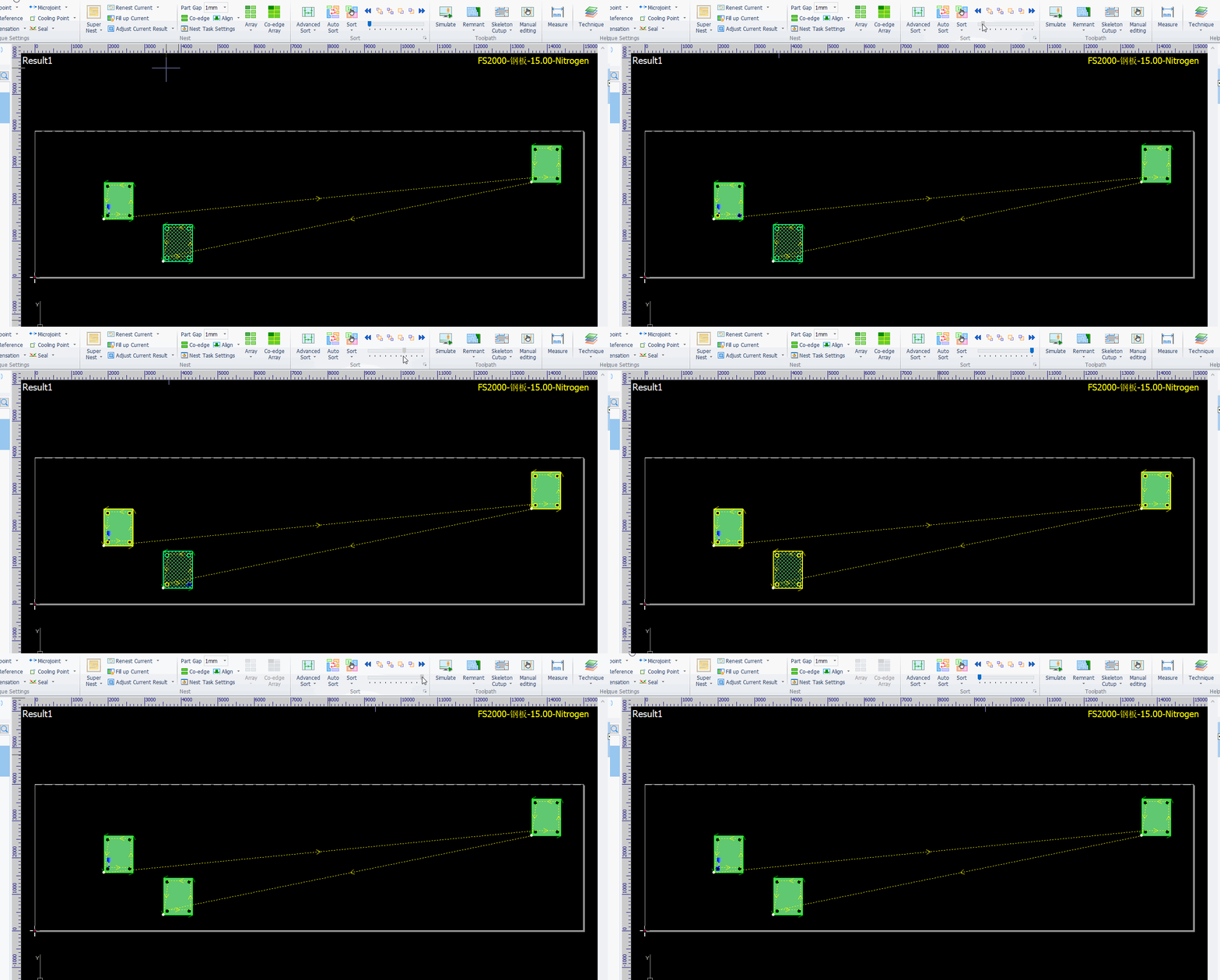
Check whether the sort meets the requirements by simulating the process at the top of the page:
-
If it meets the requirements: You can ignore the prompt. Complete other process settings as needed, then directly export the file for production.
-
If it fails to meet the requirements: Re-run the sort process. It is recommended to use the Advanced Sort function.
It is possible to encounter this prompt after performing sorting. So what should we do to address it?
1. Why does this prompt appear?
The "Reverse Travel" prompt will show up if the Safety Check has been enabled and the cutting head's reverse movement distance in the current nesting layout exceeds the preset threshold.
Note: The Safety Check is mandatorily activated for plates with a length exceeding 10 meters.
2. What risks are associated with this issue?
(1) During the cutting process, workers usually follow the machine to collect finished parts. A sudden rapid reverse movement of the cutting head poses a high risk of collision with the workers nearby.
(2) Improper sort may lead to prolonged travel of the cutting head, which will significantly reduce the overall cutting efficiency.
3. How to resolve this issue?
Check whether the sort meets the requirements by simulating the process at the top of the page:
-
If it meets the requirements: You can ignore the prompt. Complete other process settings as needed, then directly export the file for production.
-
If it fails to meet the requirements: Re-run the sort process. It is recommended to use the Advanced Sort function.

