

-
Products
Overview Products

-
2D Cutting
-
Tube Cutting
-
3D Cutting
-
Intelligent Welding
-
Intelligent Cutting Head
-
Industrial Automation
-
Industrial Software
-
Combination
-
Combination
BOCHU New Product -
Combination
BOCHU New Product -
Controller
BOCHU New Product -
2D Cutting Head
Tube Cutting Head
3D Cutting Head
Consumables
BOCHU New Product -
Servo
BOCHU New Product -
Industrial 4.0
-
- Support
- About
- Online Store















- Software Download
- Manual
- Tutorial
- CloudNest
If you have added multiple microjoints on parts nested on the plate and want to delete some of them, follow the instructions below.
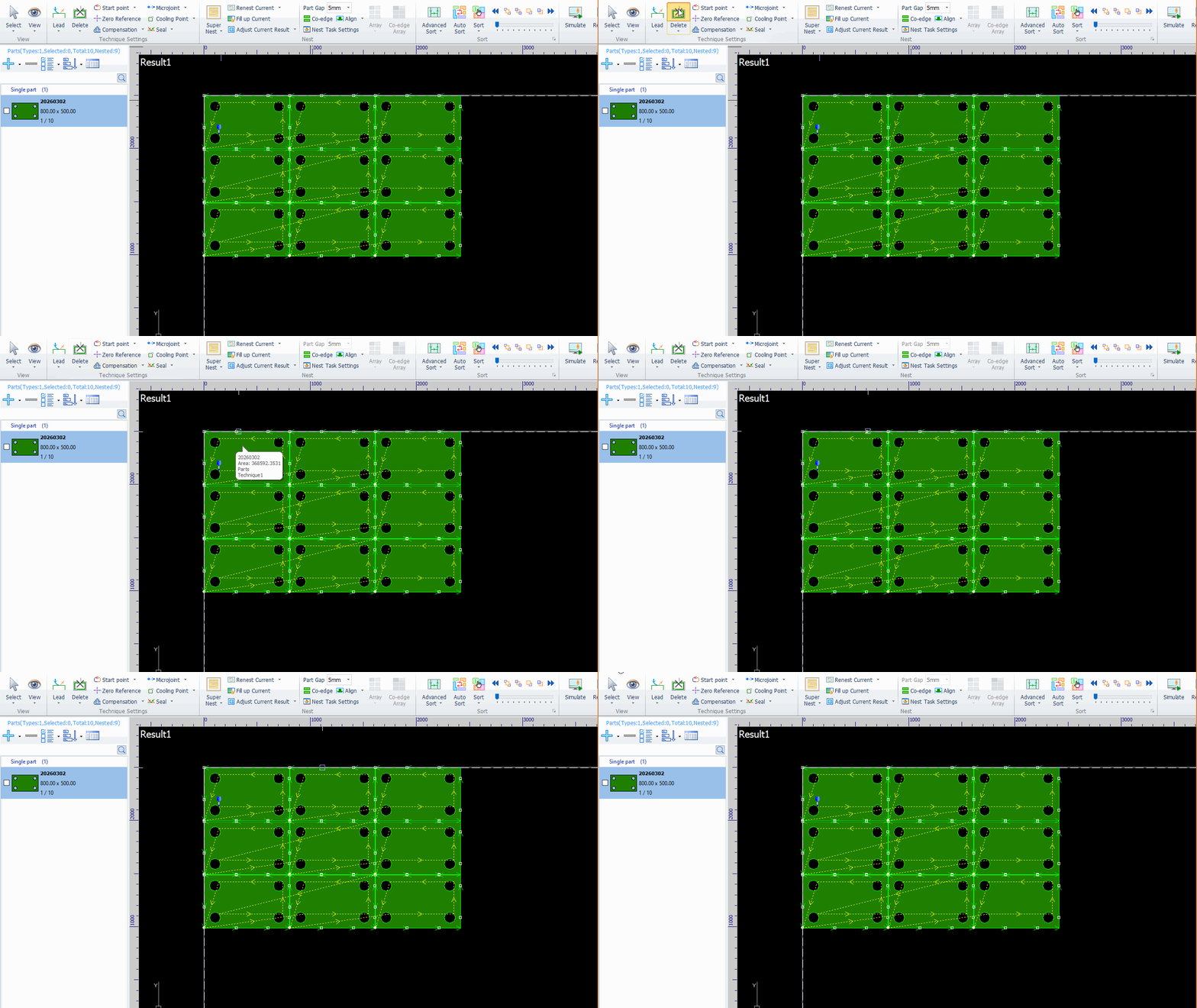
Method 1: Delete Single Microjoint
Click the Delete button.
Click the microjoint you want to remove with the mouse to delete it.
Method 2: Batch Delete
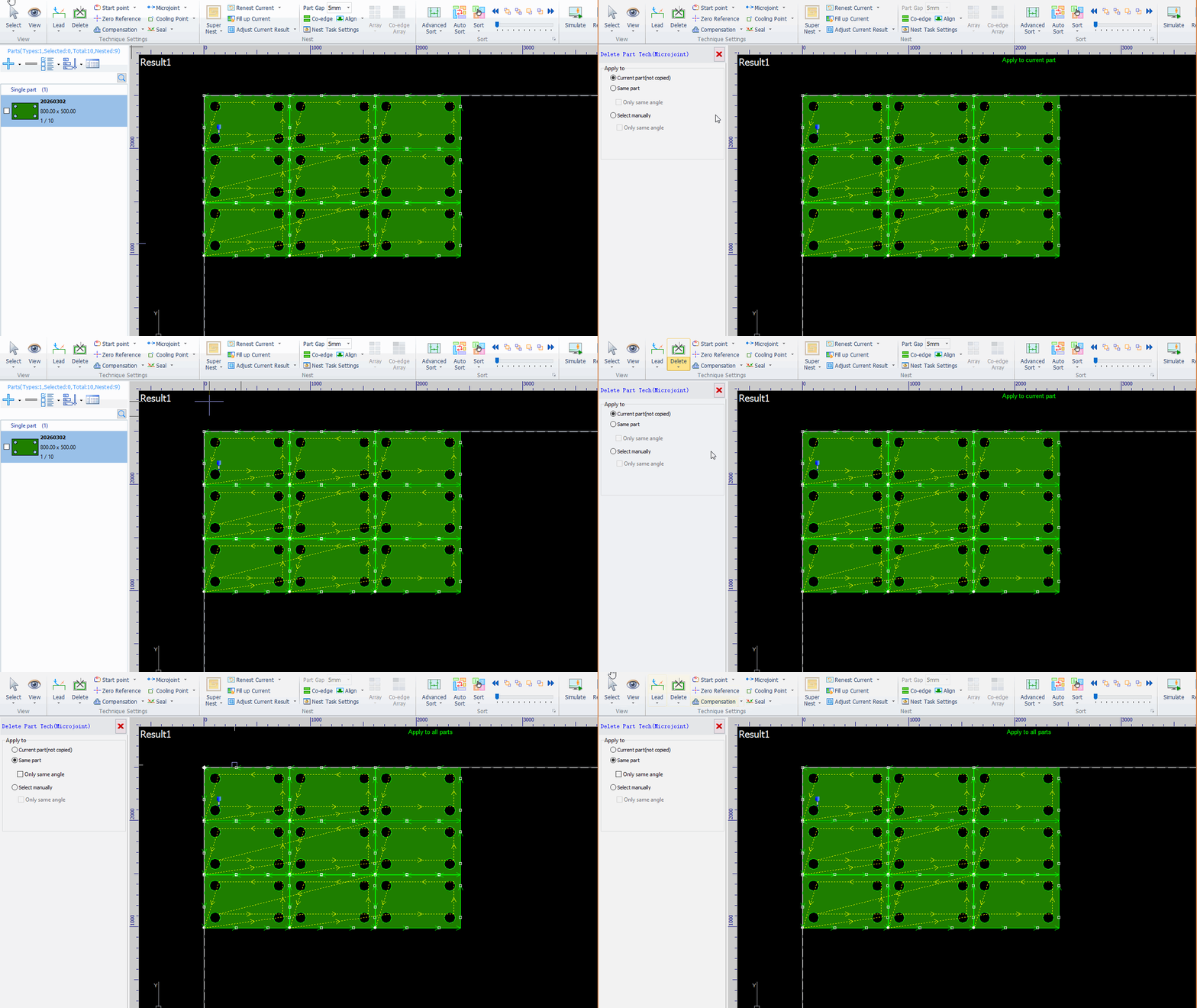
Click the dropdown menu of Delete and select Clear Single Microjoint.
Click the microjoints you want to remove.
Or You can also select a deletion range to batch delete microjoints on the same type of part.
If you have added multiple microjoints on parts nested on the plate and want to delete some of them, follow the instructions below.
Method 1: Delete Single Microjoint
Click the Delete button.
Click the microjoint you want to remove with the mouse to delete it.
Method 2: Batch Delete
Click the dropdown menu of Delete and select Clear Single Microjoint.
Click the microjoints you want to remove.
Or You can also select a deletion range to batch delete microjoints on the same type of part.

