

-
Products
Overview Products

-
2D Cutting
-
Tube Cutting
-
3D Cutting
-
Intelligent Welding
-
Intelligent Cutting Head
-
Industrial Automation
-
Industrial Software
-
Combination
-
Combination
BOCHU New Product -
Combination
BOCHU New Product -
Controller
BOCHU New Product -
2D Cutting Head
Tube Cutting Head
3D Cutting Head
Consumables
BOCHU New Product -
Servo
BOCHU New Product -
Industrial 4.0
-
- Support
- About
- Online Store















- Software Download
- Manual
- Tutorial
- CloudNest
Add Leadlines to Co-edged Parts
Question 1: Why leadlines cannot be added to the outer contours oof the co-edged parts?
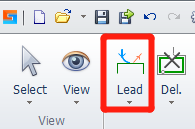
- Click the Lead button in the Technique Bar.
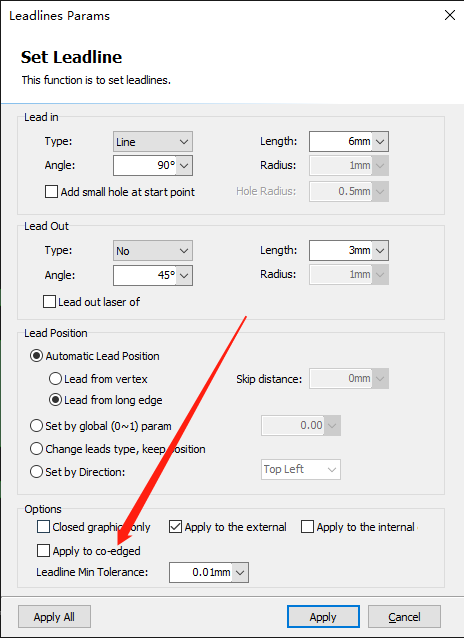
- Check if "Apply to co-edged" box is ticked.
-
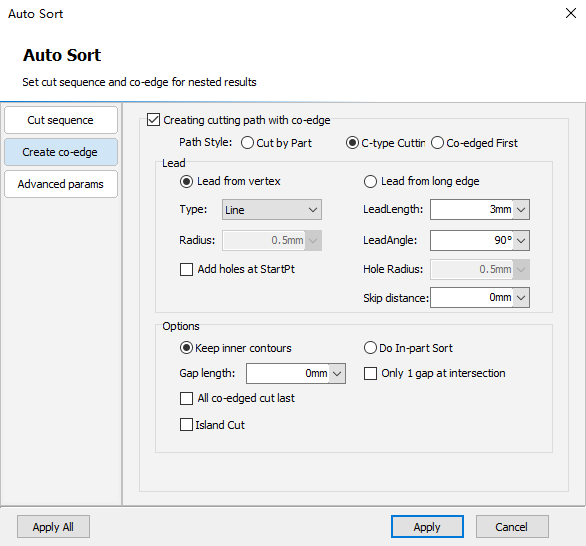
It is recommended that you choose to generate co-edge toolpaths and set lead parameters in Auto Sort window.
Question 2: Why can't add leadlines to the inner hole of a part?
- Click the Lead button in the Technique Bar and you will see the popout window to set parameters for leadlines.
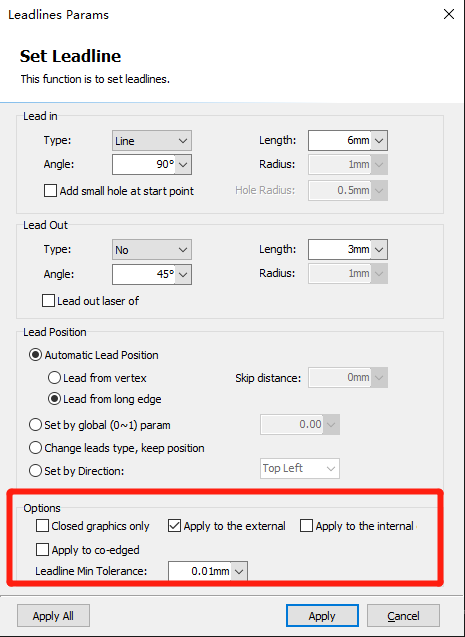
- In Options, tick Apply to the internal to allow leadlines to be added to the inner holes of parts.
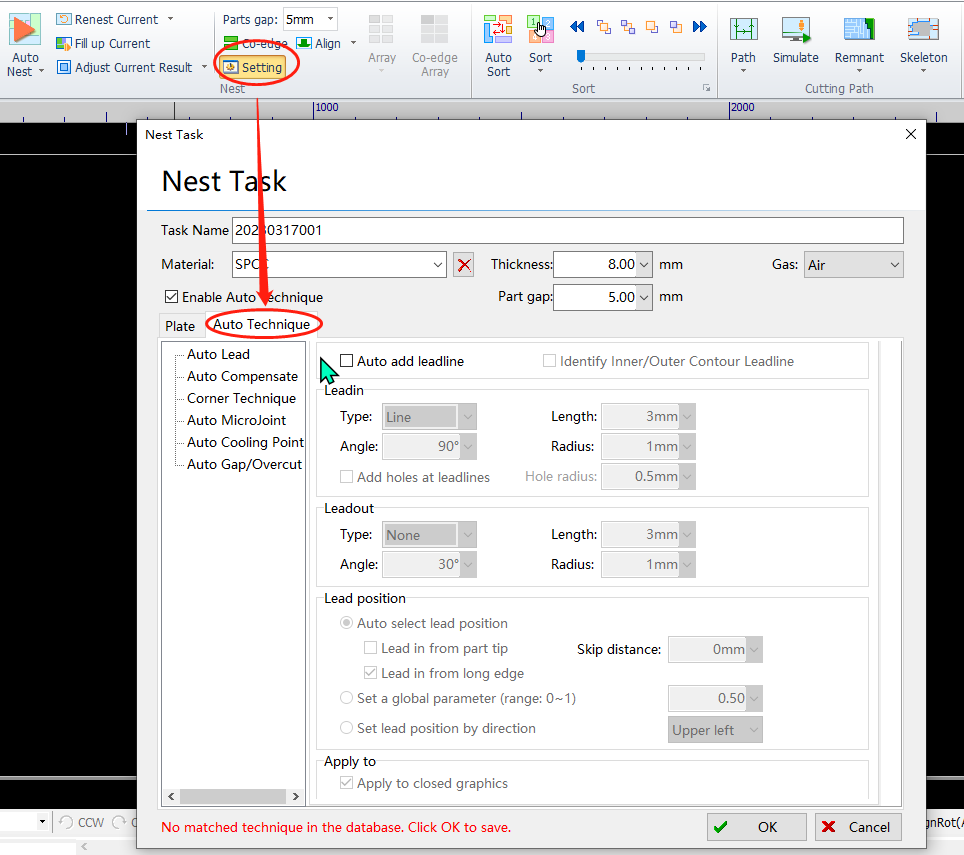
Or, you can also set the parameters of Leadin/Leadout in the Setting-Nest Task-Auto Technique window.
Add Leadlines to Co-edged Parts
2704view
Question 1: Why leadlines cannot be added to the outer contours oof the co-edged parts?
- Click the Lead button in the Technique Bar.
- Check if "Apply to co-edged" box is ticked.
-
It is recommended that you choose to generate co-edge toolpaths and set lead parameters in Auto Sort window.
Question 2: Why can't add leadlines to the inner hole of a part?
- Click the Lead button in the Technique Bar and you will see the popout window to set parameters for leadlines.
- In Options, tick Apply to the internal to allow leadlines to be added to the inner holes of parts.
Or, you can also set the parameters of Leadin/Leadout in the Setting-Nest Task-Auto Technique window.

